The team has been hard at work on fixes and key improvements this week. Here’s what’s new.
Draft won’t charge you more than its estimate - We improved the Draft tool’s estimates recently, and in doing so made that estimated range into a promise. You’ll no longer see credit charges in excess of the estimate’s ceiling in the Draft planning step. Hooray!
One note: While making this update earlier this week, we briefly broke the retired My Voice model options in Draft. My Voice users hit a credit-estimation error and couldn’t generate. The issue lasted about a day, but it’s fully fixed now. Sorry about that!
Chat Improvements
Chat reads and inserts more reliably - We fixed a batch of issues that made it difficult for Chat to read your document or insert its edits. Reading and inserting are more reliable now.
Failed plans shouldn’t use your credits - It was possible for a complex multi-step plan like a complete manuscript review to fail and still charge you credits. We fixed that, and you won’t be charged in those cases.
Reduced internal jargon in your messages - Chat’s own reasoning sometimes includes noisy jargon—document IDs, “tool” references, etc. We tweaked it so it would stop referencing that in conversation.
Other Improvements & Fixes
Write now completes the sentence - The Write button previously prioritized your word count preference over completeness of thought—meaning it could stop mid-sentence. It now runs to the nearest complete sentence, even if that means a few extra words.
Custom Rewrite instructions stick around - The Rewrite button’s “Customize” instructions had quietly become single-use. We made it work like it used to, so they stay put for repeated rewrites.
The highlight toolbar waits to appear - When you select text, the pop-up toolbar now appears after you release the mouse button instead of mid-drag—so it stops obscuring the lines around your selection.
Find and Replace now handles doc switching - We changed Find and Replace so that if you have a term entered when switching documents, it re-runs automatically in the new doc.
New titles stay put - Typing a title too quickly in a brand-new project could sometimes snap the title back to “Untitled.” Your title now sticks.
A cleaner document list - We improved the document list in your left bar—giving a bit more space, improving contrast for accessibility purposes, and making (•••) menus and toggles only show up when you need them.
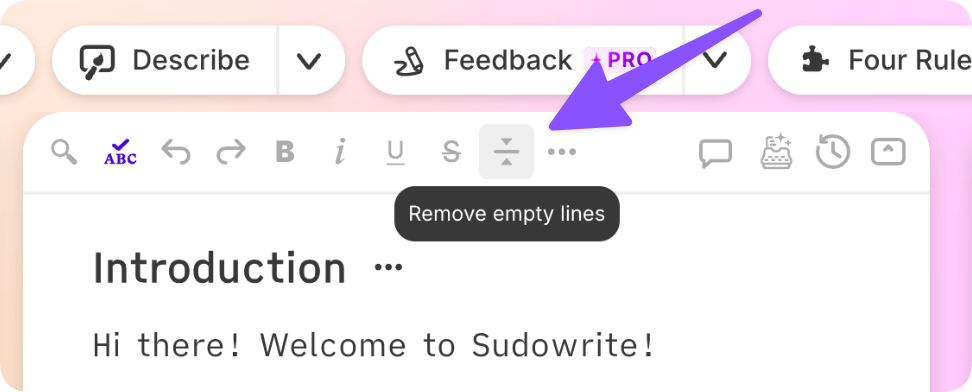
Undo no longer undoes more than it should - We fixed a bug with undo where it could reverse the past few edits rather than just your most recent edit. Meanwhile, the editor’s Undo button now works on the first click after you insert text from a card. (Did you know there’s an Undo button in the editor toolbar? I didn’t, and I write these!)
It’s also worth calling out a noteworthy fix on the Sudowrite mobile app this week:
We fixed the cursor jump in Story Bible - On mobile, the cursor was jumping to the end of certain Story Bible fields after each character, making them frustratingly difficult to edit. We fixed that!